 Agctor
01
Own the state
Each actor keeps its own state. Nothing reaches in and mutates a shared graph.
Now open source
Agctor is a .NET 8 framework for agentic systems. Each agent owns its state, reads one message at a time, and talks only through envelopes — so LLM calls, tools, and humans stay isolated instead of sharing one workflow object.
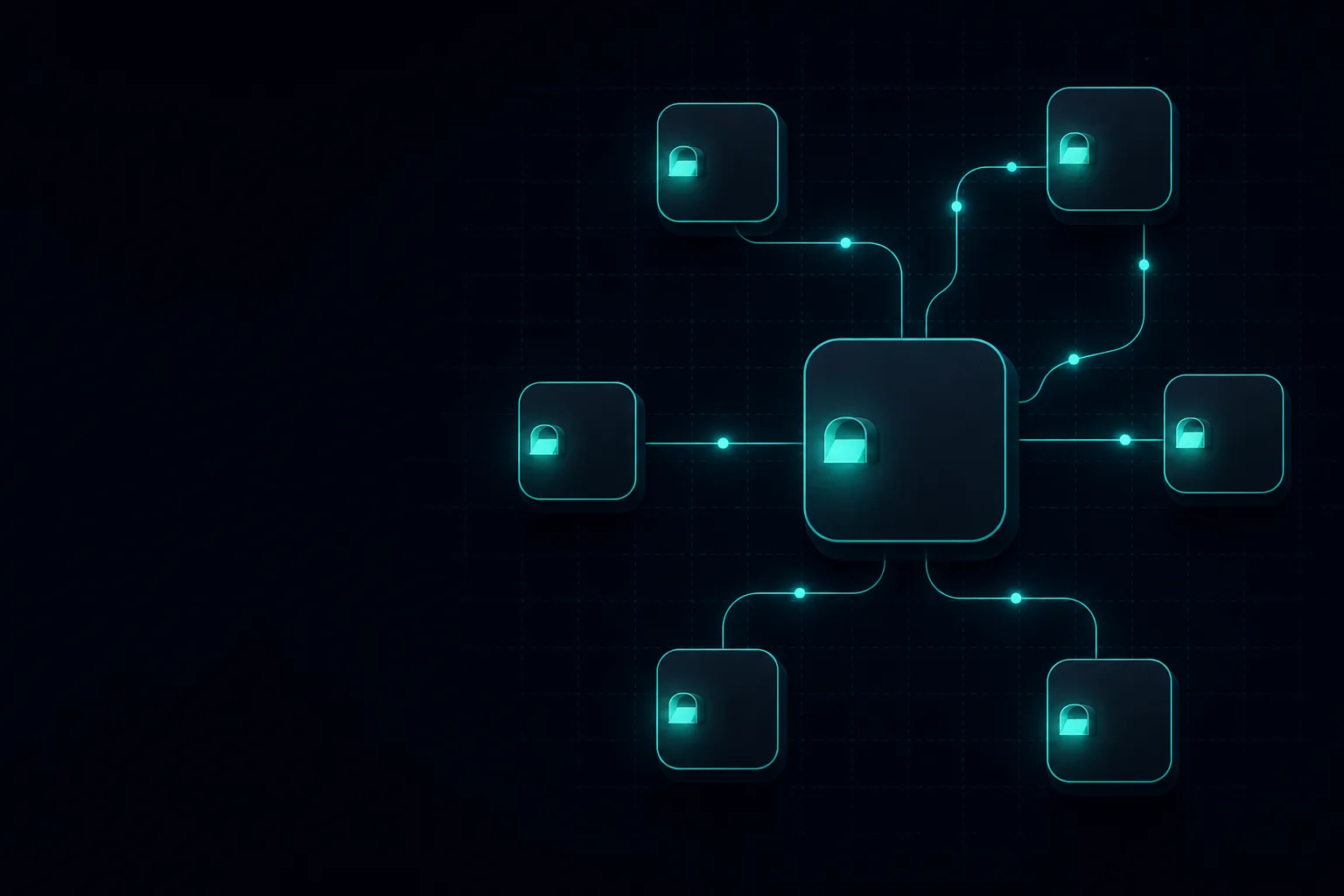
Mental model
If you remember only this: an Agctor agent is an actor. The rest of the framework exists to keep that true as you add LLMs, tools, and a host.
01
Each actor keeps its own state. Nothing reaches in and mutates a shared graph.
02
Messages are processed one at a time. No locks around the agent’s turn.
03
Routing, correlation, reply-to, and expiry live on the envelope, not in ad-hoc dictionaries.
04
Agents talk to IActorRuntimeAdapter. In-memory is implemented; Orleans and Proto.Actor adapters are next.
Architecture
Your code stays on the contracts. Change how actors run without rewriting how they think.
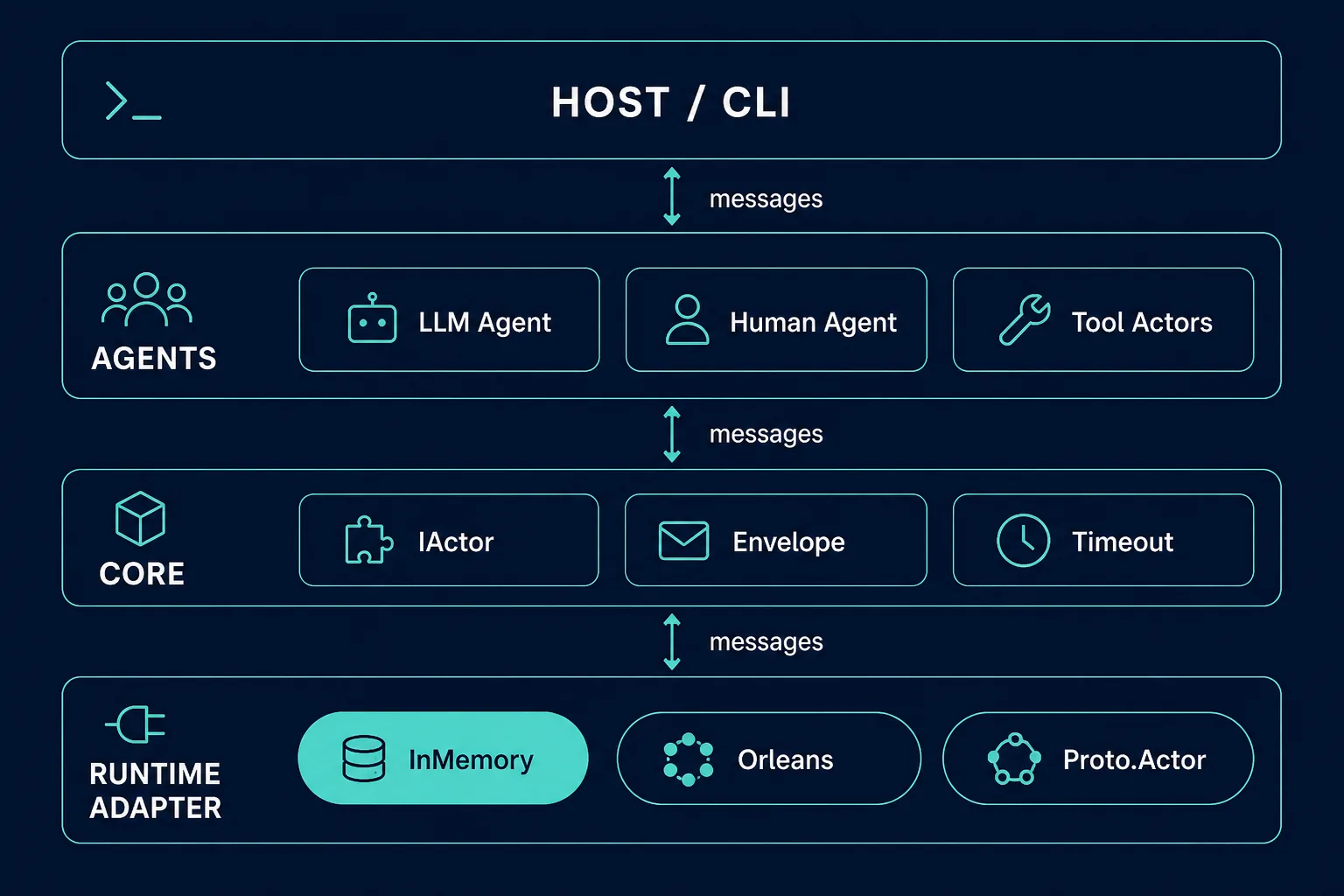
Two doors in: send a prompt from the command line, or run the HTTP + MCP host with Swagger.
LLM (Ollama), human/CLI, and tool actors. A timeout supervisor watches long work and can return progress.
IActor, immutable message envelopes, timeouts, metrics, and tracing. This is the contract surface.
In-memory today. The same agents can move to Orleans or Proto.Actor when those adapters land — application code does not bind to a backend.
A request
The CLI (or Host) spawns a root agent. That actor may spawn tool actors. Results come back through envelopes, not shared objects.
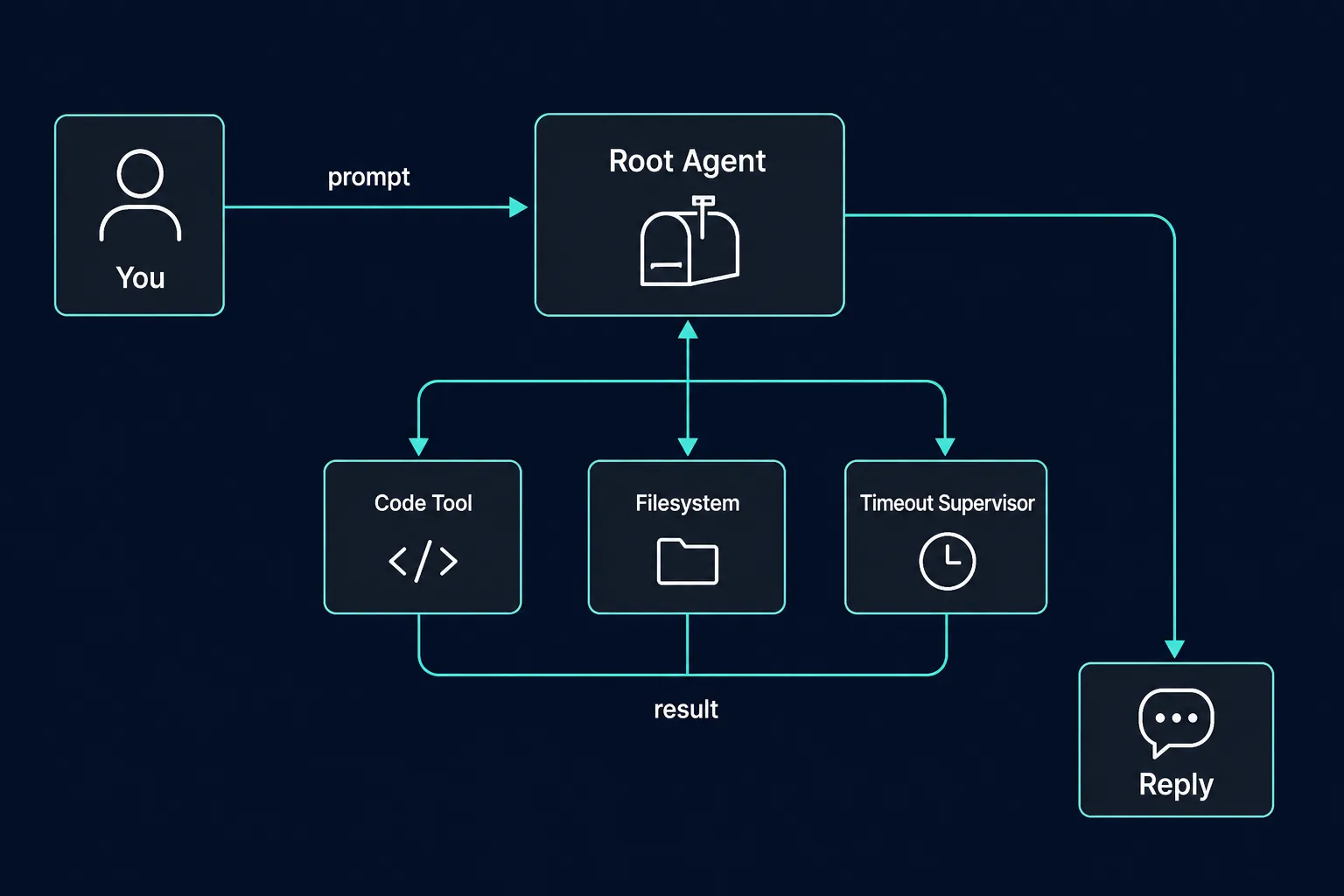
CLI argument or HTTP/MCP call. The runtime creates a root agent for that request.
An LLM actor (default local Ollama model mistral) reads the envelope and decides whether to call tools or reply.
C# and Python execution, filesystem, and a code editor each have their own mailbox. The timeout supervisor can stop a runaway turn.
Partial results and the final answer travel back as messages. Isolation holds for the whole round-trip.
Where to start
You need the .NET 8 SDK. Ollama is optional until you want a live LLM agent.
01 · Clone
Get the source02 · Build
Restore the solutiondotnet restore then dotnet build Agctor.sln
03 · Run
CLI, Host, or libraryThree ways in. Start with the CLI if you just want to see a prompt land.
Fastest path. Spawns a root agent, sends your prompt, prints the result.
git clone https://github.com/rahamohebbi/Agctor.git
cd Agctor
dotnet restore Agctor.sln
dotnet run --project AgctorCLI -- "Summarize the actor model in one sentence"
Pass a second argument to choose a runtime. Only InMemory is fully implemented right now.
HTTP API, Swagger, and a loopback MCP listener — for wiring agents into other tools.
dotnet run --project AgctorSDK.Host
# REST / Swagger: http://localhost:5000/swagger
# MCP: 127.0.0.1:8080 (loopback by default)
See SECURITY.md before exposing the host. There is no authentication yet.
Drop Agctor into an existing .NET app. The default runtime is in-memory.
using AgctorSDK.Core.DependencyInjection;
using Microsoft.Extensions.DependencyInjection;

var services = new ServiceCollection();
services.AddAgctor(); // in-memory runtime by default
Packable projects: Core, Agents, Tools, Extensions. Keep LICENSE and NOTICE when you redistribute.
What’s included
Spawn, send, request/response, statistics. Adapter-shaped so the backend can change.
Ollama-backed LLM actors, a human/CLI adapter, and tool actors for code and files.
Timeouts are an actor, not a thread abort. Progress and partial results can surface.
REST, Swagger, and a TCP MCP listener for editor and tool integrations.
One process, one prompt, one root agent. Useful as a script and as a smoke test.
Logging, metrics, activity tracking, and visualization helpers for watching message flow.
Repository map
The layout is the architecture. Core stays contracts; agents, tools, host, and CLI stay in their projects.
Actors, envelopes, timeouts, observability. Start here to understand the model.
Agent actors and the in-memory runtime. LLM, human, factory, registry.
Code execution (C# / Python), filesystem, and editor tools — each an actor.
AddAgctor() and runtime adapter wiring.
HTTP + MCP. Integration tests live in the matching test project.
Command-line runner. Demo samples sit in Demo/; PRDs sit in Project/.
Open source
Keep copyright notices and the NOTICE file. Cite the project via CITATION.cff if you use it in a paper or product. Code-execution tools run in-process with no sandbox — use Agctor in environments you trust.